eInk Oil Change Sticker
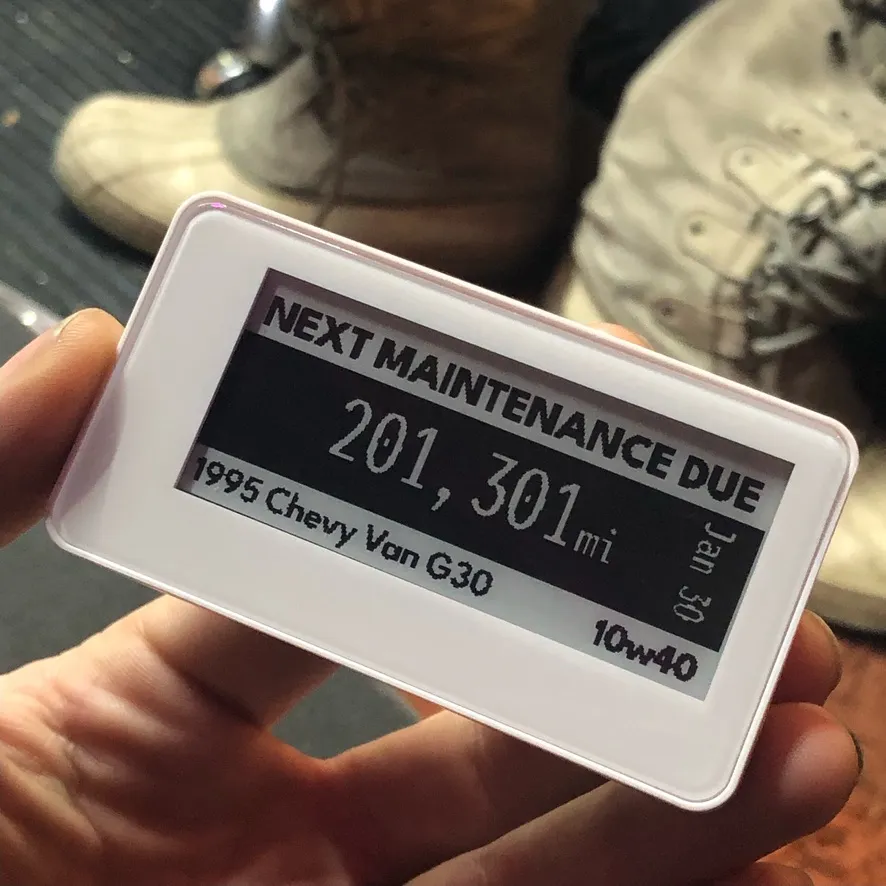
A battery-free NFC ePaper display that replaces the oil change sticker, fed by Home Assistant and Node-RED.
WORK IN PROGRESS
Quick Setup
Section titled “Quick Setup”- Setup Home Assistant Helpers
- Odometer
- Service Miles
- Service Date
- Binary Input - (Service Due Now)
- Copy
fontsfolder to/share/- This is parent to the config folder usually shown to you in the file editor/ VS Code Server
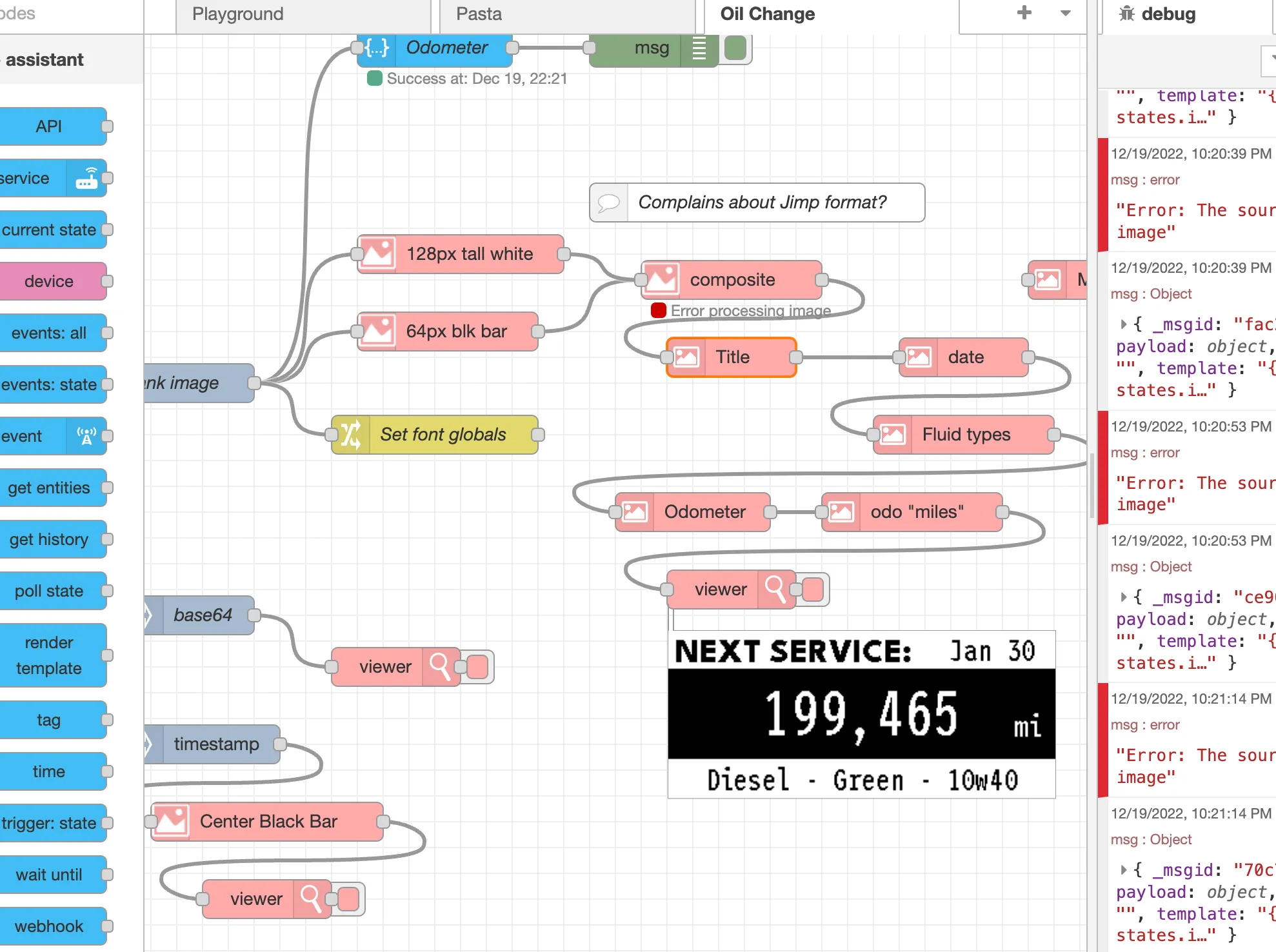
- Import Node Red Flow
- Set Telegram info
- Use app to transfer image to display
- iOS:
- Android:
Use Home Assistant, Node Red, and an NFC powered ePaper display to track and display when vehicle maintenance should happen.
Overview
Section titled “Overview”Waveshare offers several ePaper displays for making prototypes, more recently they started offering some displays that are capable of being updated from a phone app via NFC. Power from the data transfer is harvested to refresh the screen, negating the need for a battery. Due to the nature of ePaper tech, the image is held infinitely.
Their 2.1” and 2.9” seem to be a nice replacement for the sticker commonly given at oil change locations. This was built for the 2.9” display but can be easily adaptable.
- Get Home Assistant to calculate
future dateandfuture mileagefrom currentodometer mileage- Node Red generates image with data and sends to phone via Telegram
Node Red
Section titled “Node Red”Image base
Section titled “Image base”I originally generated two images with the JIMP plugin and merged them, but the next modification complained about this so starting with a Base64 PNG is probably best, you can create one in your own design app and convert it here: https://codebeautify.org/base64-to-image-converter
Waveshare NFC Screens size reference:
- 2.9” - 296x128 -
Used in this project - 2.7” - 264x176 -
Bare PCB - 2.12” - 250x122
Fonts for JIMP are bitmap FNT fonts and you’ll need to convert any TTF/OTF fonts for every color and size you want to use: https://ttf2fnt.com/
Questions
Section titled “Questions”How to trigger? Needs odometer to be updated with trigger - or before - or after
Research
Section titled “Research”The app used by the display wants an image to send to the display and programmatically generating an image with text is very new to me. Writing a Home Assistant custom integration is currently out of my grasp so I checked to see if I could do anything with Node Red.